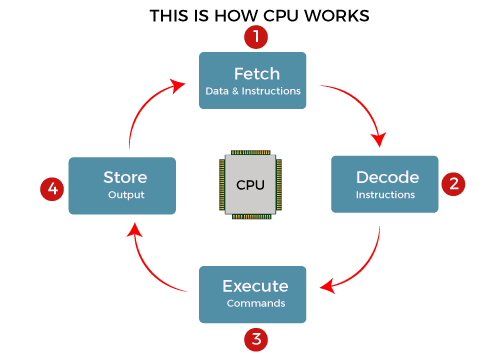
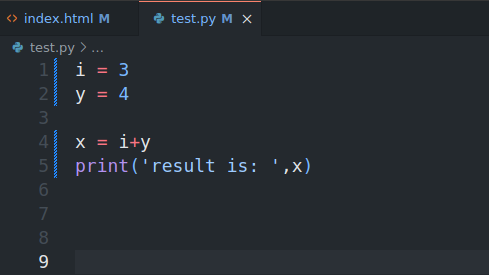
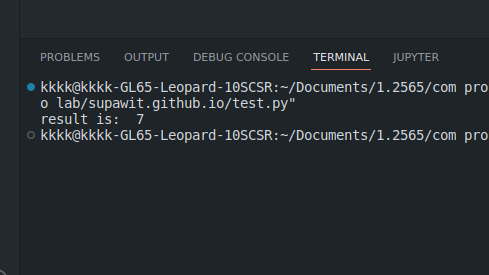
-
COMPUTER AND PROGRAM
The physical devices that a computer is made of are referred to as the computer's
hardware. The programs that run on a computer are referred to as software.
Computers can do such a wide variety of things because they can be
programmed. This means that computers are not designed to do just one job, but
to do any job that their programs tell them to do. A program is a set of instructions
that a computer follows to perform a task.
-
HOW COMPUTER STORE DATA
All data stored on storage media – whether that’s hard disk drives (HDDs), solid state drives
(SSDs),
external hard drives, USB flash drives, SD cards etc – can be converted to a string of bits,
otherwise known as binary digits. These binary digits have a value of 1 or 0, and the
strings can make up photos,
documents, audio and video. A byte is the most common unit of storage and is equal to 8
bits.

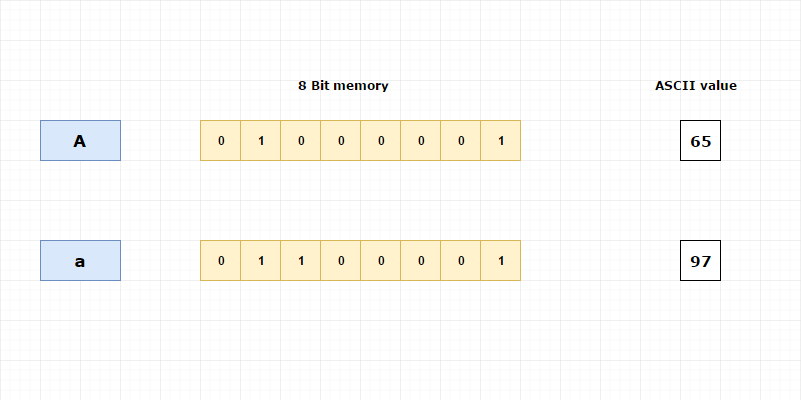
For example, if we want to store char ‘A’ in computer, the corresponding ASCII value will be
stored in computer.
ASCII value for capital A is 65.
To store character value, computer will allocate 1 byte (8 bit) memory.
65 will converted into binary form which is (1000001) 2. Because computer knows only binary number
system.
Then 1000001 will be stored in 8-bit memory.

-
What's Assembly Language?
-
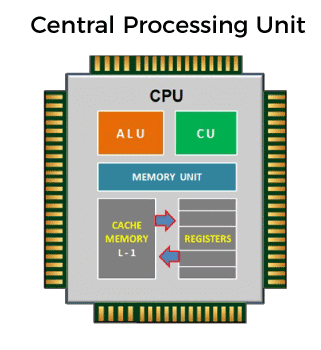
Each personal computer has a microprocessor that manages the computer's arithmetical,
logical, and control activities.
Each family of processors has its own set of instructions for handling various operations
such as getting input from keyboard, displaying information on screen and performing various
other jobs. These set of instructions are called 'machine language instructions'.
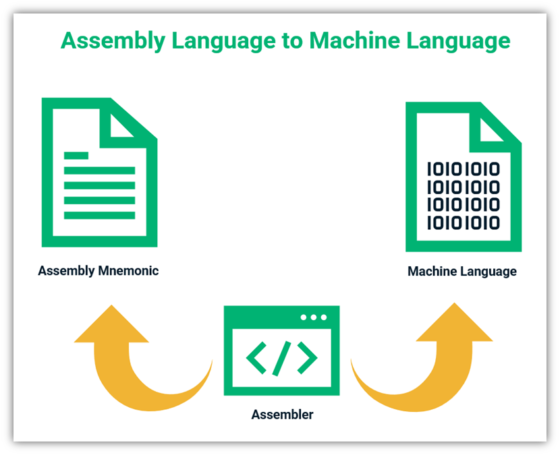
A processor understands only machine language instructions, which are strings of 1's and
0's. However, machine language is too obscure and complex for using in software development.
So, the low-level assembly language is designed for a specific family of processors that
represents various instructions in symbolic code and a more understandable form.
-
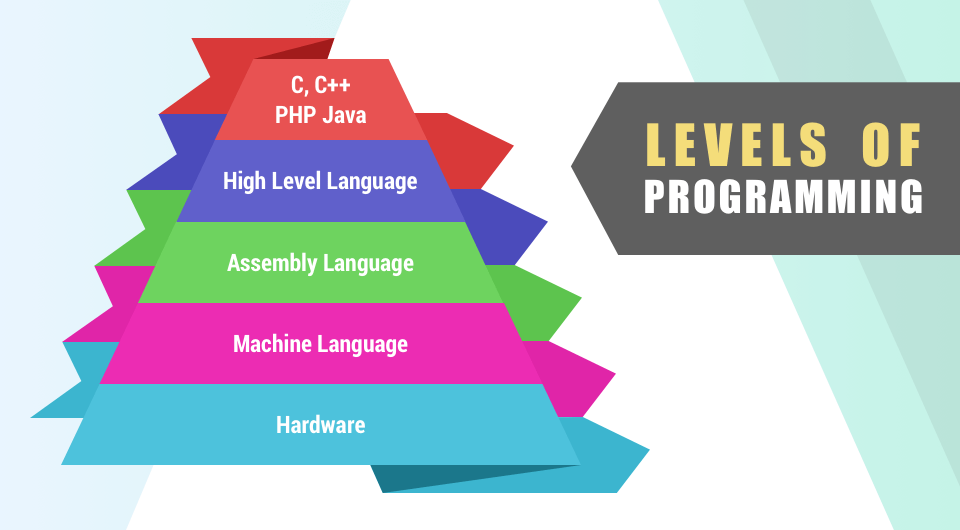
HIGH LEVEL LANGUAGE
In the 1950s, a new generation of programming languages known as high-level
languages began to appear. A high-level language allows you to create powerful
and complex programs without knowing how the CPU works
ADVANTAGES OF HIGH-LEVEL LANGUAGES
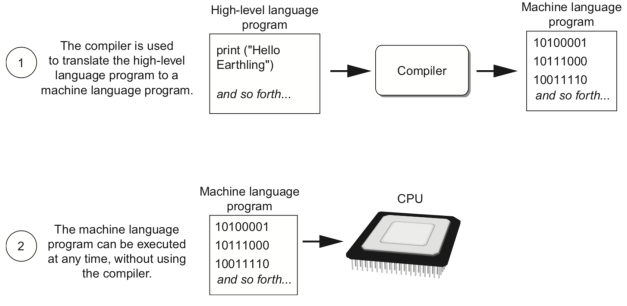
The main advantage of high-level languages over low-level languages is that they are easier to read,
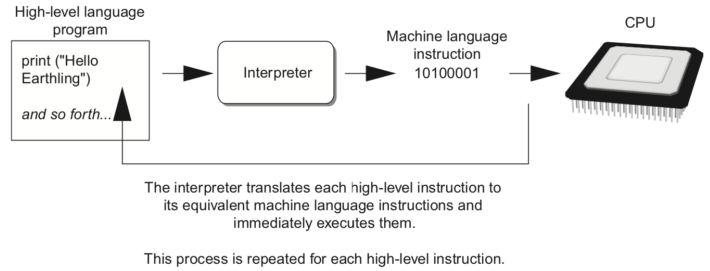
write, and maintain. Ultimately, programs written in a high-level language must be translated into
machine language by a compiler or interpreter.
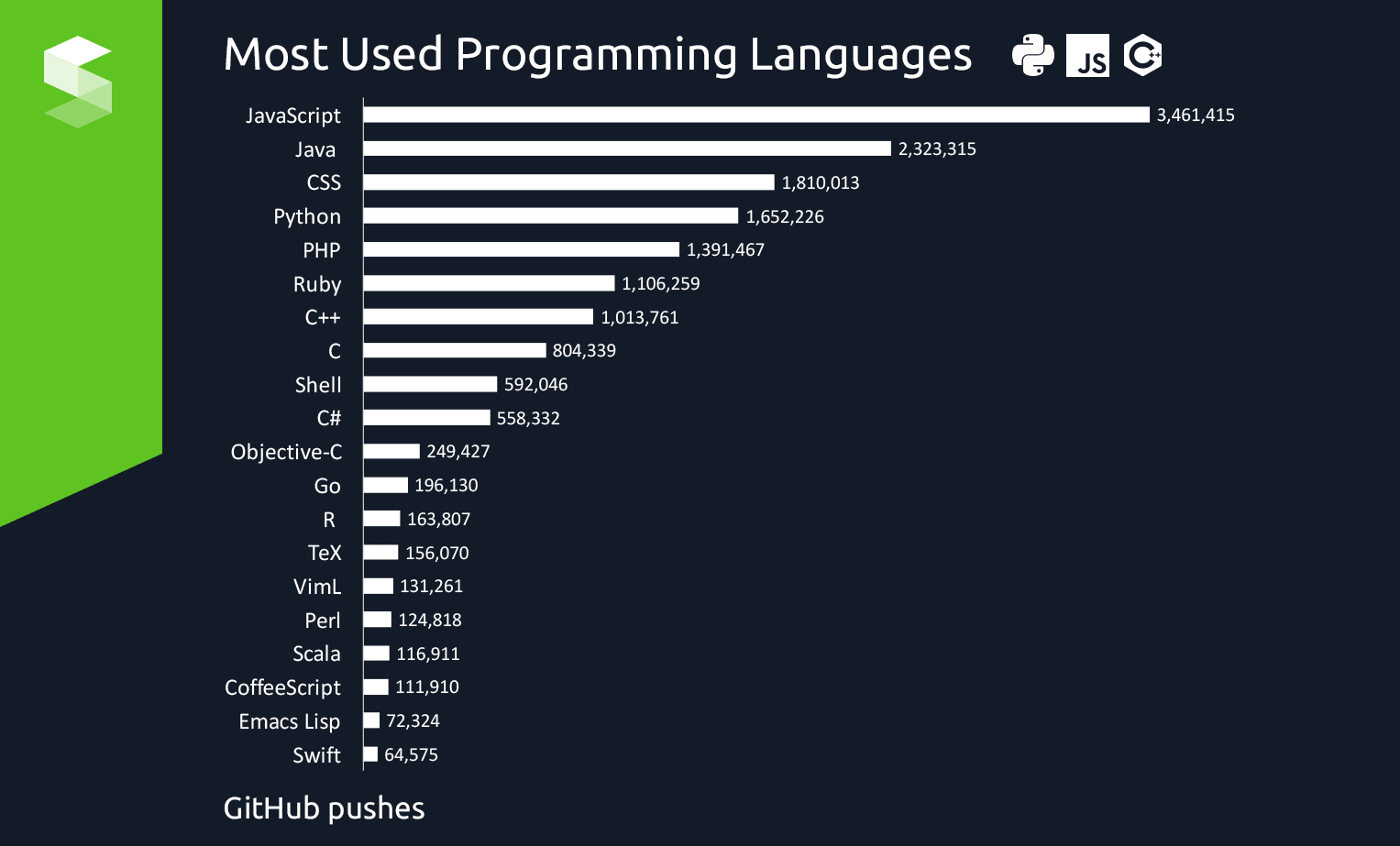
The first high-level programming languages were designed in the 1950s. Now there are dozens of
different languages, including Ada, Algol, BASIC, COBOL, C, C++, FORTRAN, LISP, Pascal, and Prolog.
PROGRAMMING LANGUAGES
COMPILER
INTERPERTER
-
PROGRAM DEVELOPMENT CYCLE

The process of designed a program can be summaried in the following two steps
-understand the task that program is to perform
-Deter mine the steps that must be taken to perform the task
-
PSEUDOCODE
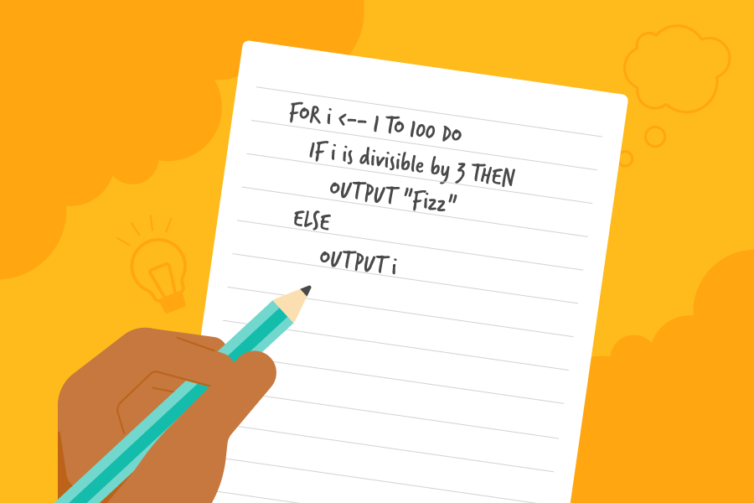
Pseudocode is a way of expressing an algorithm without conforming to specific syntax
rules. By learning to read and write pseudocode, you can easily communicate ideas and
concepts to other programmers,
even though they may be using completely different languages. Pseudocode is also a good
-
FLOWCHART
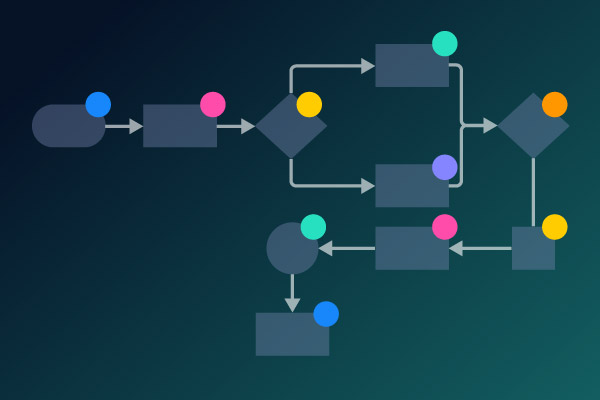
A flowchart is a picture of the separate steps of a process in sequential order. It is a
generic tool that can be adapted for a wide variety of purposes, and can be used to
describe various processes, such as a manufacturing process, an administrative or
service process, or a project plan.
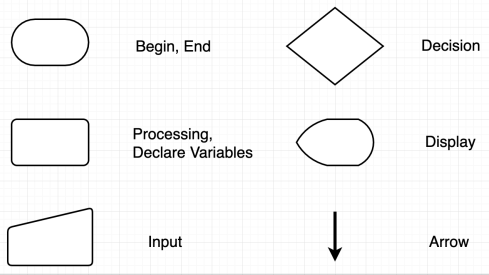
FLOWCHART SYMBOLS
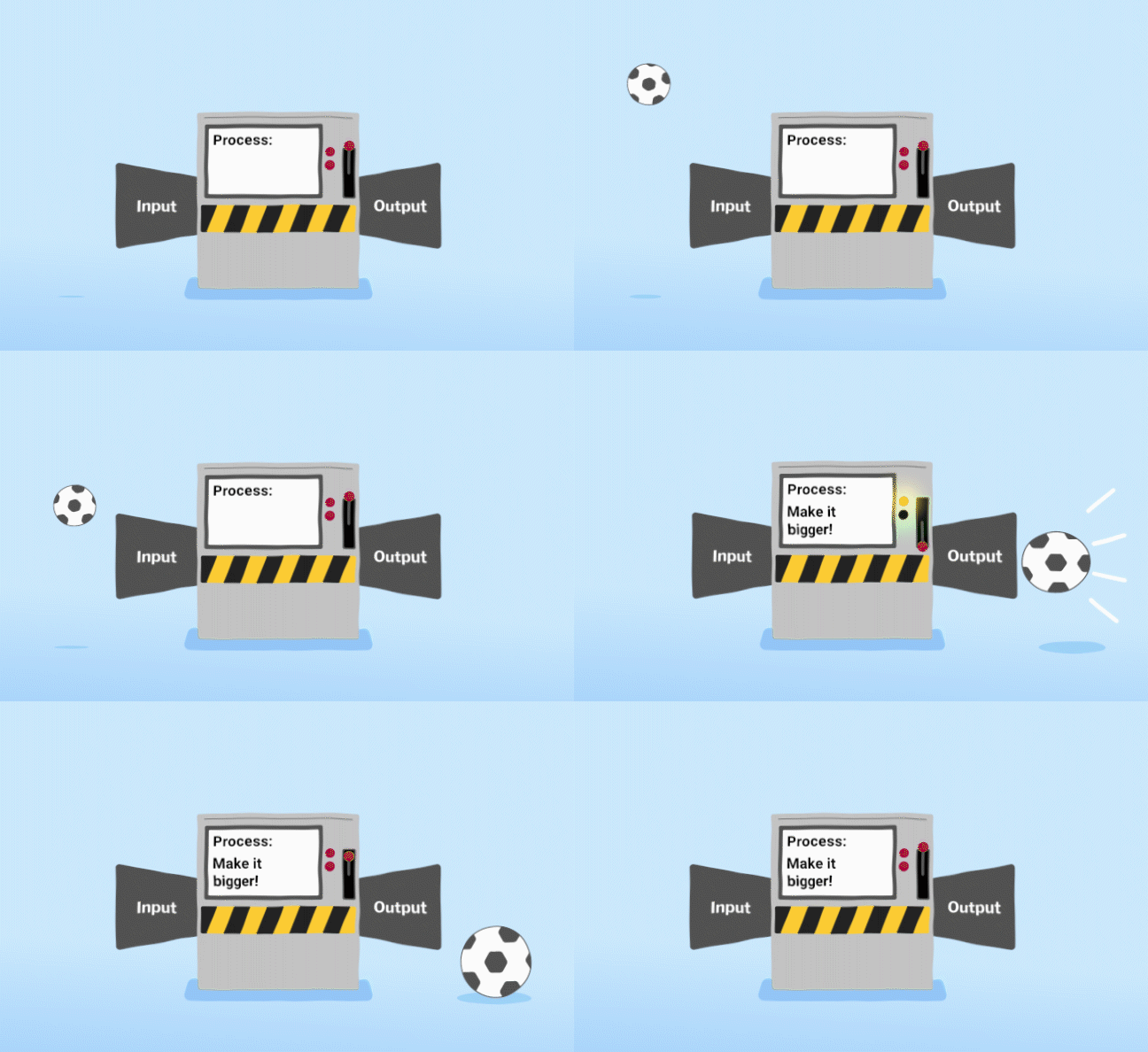
1. input is received from the user or from another program
2. the program processes the input
3. the program produces output
WHAT'S VARIABLES?
A variable is a named location used to store data in the memory.
It is the basic unit of storage in a computer program.
Each variable in Python has a specific type,
which determines the possible values for that variable, the operations that can be performed on it,
and the meaning of the data that it stores.
fruit = 'apple'
fruit = 'banana'
fruit = 'orange'
Valid Variable Names
Case sensitive. like name, Name, and NAME are three different variables.
Must start with a letter or the underscore character (Can contain numbers).
Cannot start with a number.
Cannot contain any spaces.
Cannot use any of these symbols :'",<>/?|\()!@#$%^&*~-+
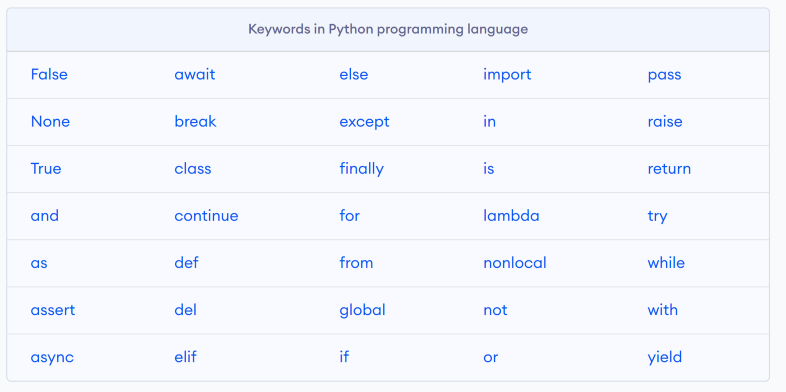
RESERVED WORDS
You can set variable names to be 3 types like this
1.camel case : UserInput
2.snake case : user_input
3.kebab case : user-input
DATA TYPES

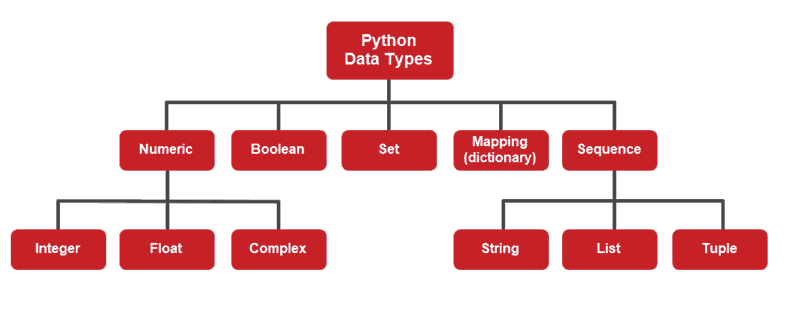
NUMBERS 
Number the simplest data type in Python.
They can be integers, floating point numbers, or complex numbers.
They are defined as int, float, and complex class in Python.
Integers are whole numbers, positive or negative, without decimals, of unlimited length.
Floating point numbers are represented as decimals and are accurate up to 15 decimal places.
Try !
BOOLEAN 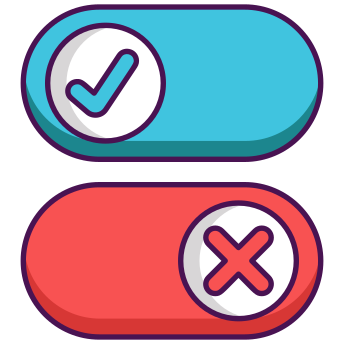
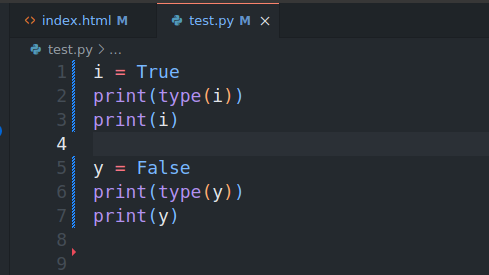
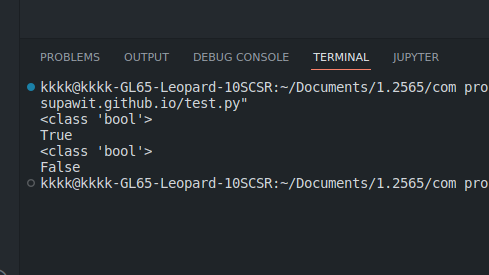
Boolean represent one of two values: True or False.
Boolean values are often used to keep track of certain conditions,
such as whether a game is running or whether a user can edit content on a web page.
-
STRINGS
-
-
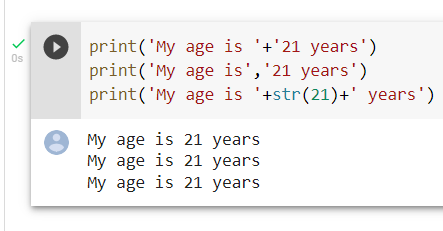
String a sequence of characters.
Strings are immutable, which means that elements of a string cannot be changed once it has
been assigned.
However, a new string can be assigned to a different variable.
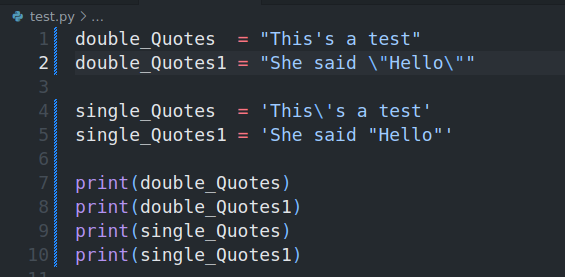
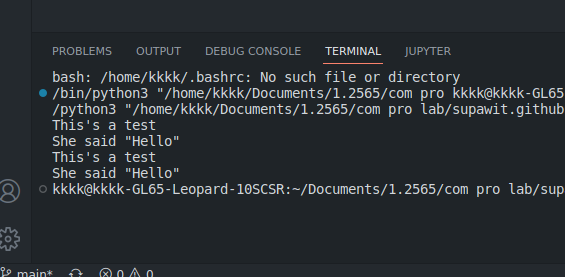
Strings can be created using single quotes or double quotes.
how to use single quotes or double quotes inside a string
PYTHON OPERATORS
Operators are used to perform operations on variables and values.
Python divides the operators in the following groups:
- Arithmetic operators
- Assignment operators
- Comparison operators
- Logical operators
- Identity operators
- Membership operators
- Bitwise operators
let's see !
-
ARITHMETIC OPERATORS 
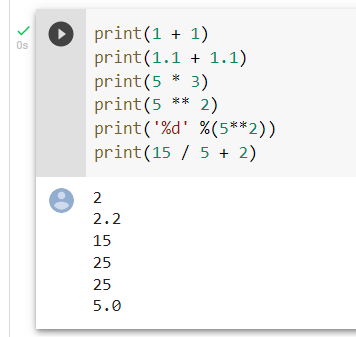
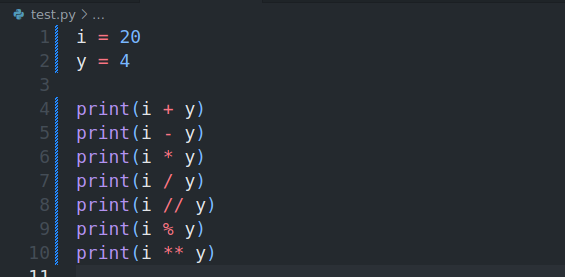
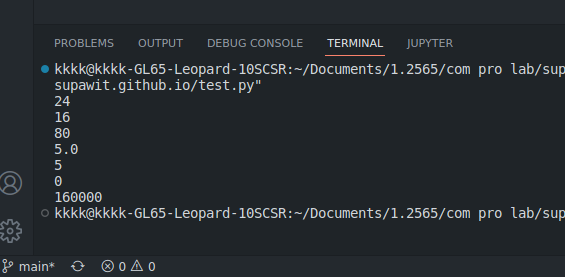
Arithmetic operators are used with numeric values to perform common mathematical operations:
Operator Name Example
+ Addition x + y
- Subtraction x - y
* Multiplication x * y
/ Division x / y
% Modulus x % y
** Exponentiation x ** y
// Floor division x // y
OPERATOR PRECEDENCE
Operator precedence determines the grouping of terms in an expression,
which affects how an expression is evaluated.
Operator Description
() Parentheses
** Exponentiation
~ + - Complement, unary plus and minus (method names for the last two are +@ and -@)
* / % // Multiplication, division, remainder and floor division
+ - Addition and subtraction
> >= < <=Comparison operators
== != Equality operators
= %= /= //= -= += *= **= Assignment operators
is is not Identity operators
in not in Membership operators
not or and Logical operators
COMPARISON OPERATORS
-
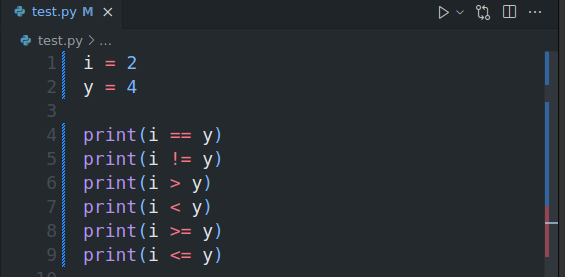
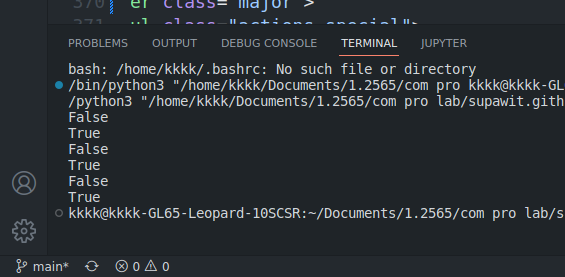
Comparison operators are used to compare two values:
Operator Name Example
== Equal x == y
!= Not equal x != y
> Greater than x > y
< Greater than or equal to x < y
>= Less than x >= y
<= Less than or equal to x <=y
-
LOGICAL OPERATORS
-
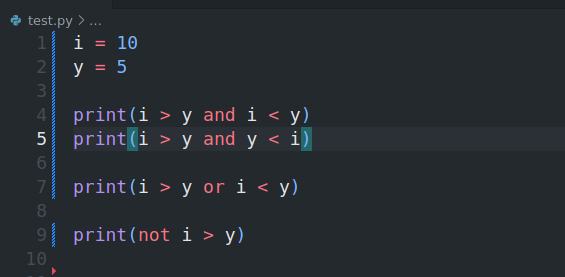
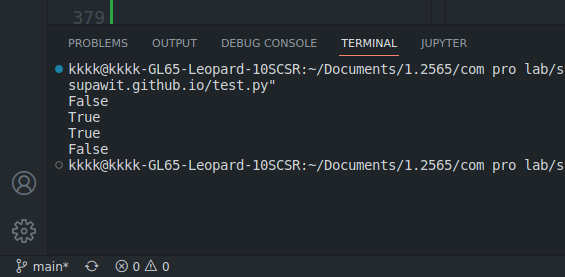
Logical operators are used to combine conditional statements:
Operator Description Example
and Returns True if both statements are true
or Returns True if one of the statements is true
not Reverse the result, returns False if the result is true
-
BITWISE OPERATORS
| Let x = 10 (0000 1010 in binary) and y = 4 (0000 0100 in binary) |
| OPERATORS |
MEANING |
EXAMPLE |
| & |
Bitwise AND |
x & y = 0 (0000 0000) |
| | |
Bitwise OR |
x | y = 14 (0000 1110) |
| ^ |
Bitwise XOR |
x ^ y = 14 (0000 1110) |
| ~ |
Bitwise NOT |
~x = -11 (1111 0101) |
| >> |
Bitwise right shift |
x >> 2 = 2 (0000 0010) |
| << |
Bitwise left shift |
x << 2 = 40 (0010 1000) |
AISSIGNMENT OPERATORS
| Let x = 10 (0000 1010 in binary) and y = 4 (0000 0100 in binary) |
| OPERATORS |
EXAMPLE |
EQUALS TO |
| = |
x = 5 |
x = 5 |
| += |
x += 3 |
x = x + 3 |
| -= |
x -= 3 |
x = x - 3 |
| *= |
x *= 3 |
x = x * 3 |
| /= |
x /= 3 |
x = x / 3 |
| %= |
x %= 3 |
x = x % 3 |
| &= |
x &= 3 |
x = x & 3 |
| //= |
x //= 3 |
x = x // 3 |
| **= |
x **= 3 |
x = x ** 3 |
| |= |
x |= 3 |
x = x | 3 |
| ^= |
x ^= 3 |
x = x ^ 3 |
| >>= |
x >>= 3 |
x = x >> 3 |
| <<= |
x <<= 3 |
x = x << 3 |
IDENTITY OPERATORS
-
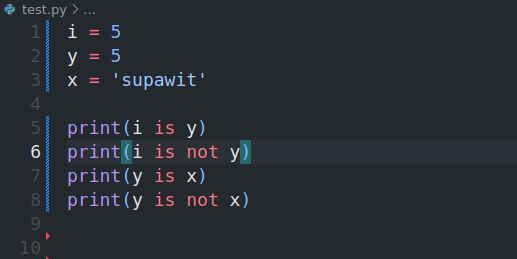
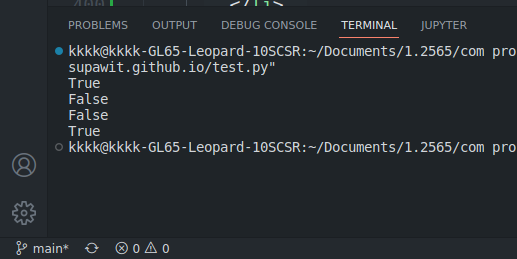
Identity operators are used to compare the objects, not if they are equal,
but if they are actually the same object, with the same memory location:
Operator Description Example
is Returns True if both variables are the same object
is not Returns True if both variables are not the same object
MEMBERSHIP OPERATORS
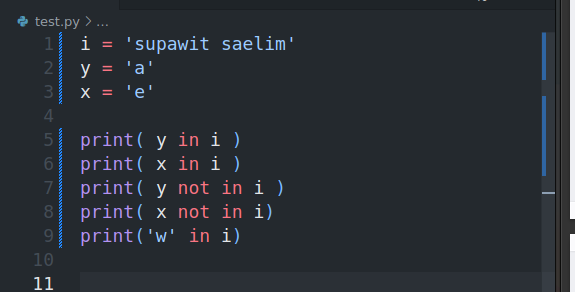
Membership operators are used to test if a sequence is presented in an object:
Operator Description Example
in Returns True if a sequence with the specified value is present in the object
not in Returns True if a sequence with the specified value is not present in
the object
-
INPUT 
-
Python allows for user input.
That means we are able to ask the user for input.
The method is a bit different in Python 3.6 than Python 2.7.
Python 3.6 uses the input() method.
Python 2.7 uses the raw_input() method.
Example
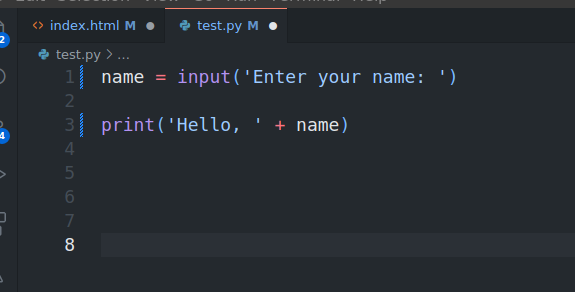
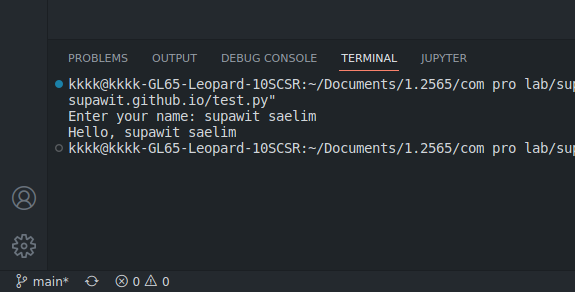
if we want to ask the user for a name, we can execute the following code:
input("Enter your name: ")
input return data type is string
-
Try
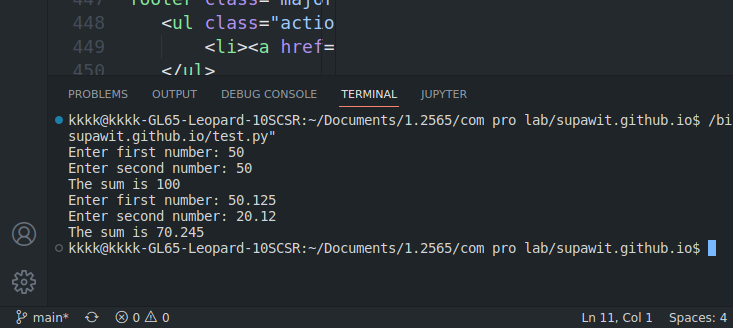
INPUT NUMBERS
By default the input function takes the input as a string.
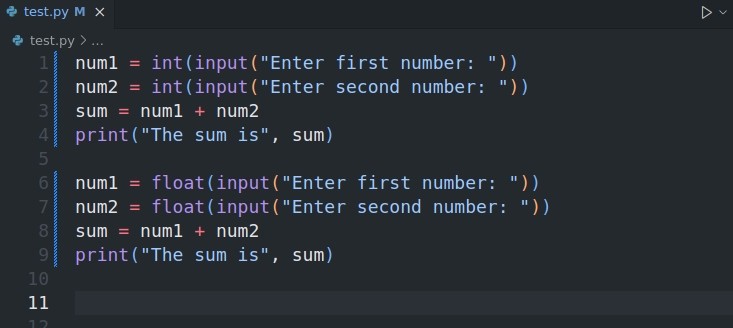
But we can convert the input to other data types like int, float etc.
Example
num1 = int(input("Enter first number: "))
num2 = int(input("Enter second number: "))
sum = num1 + num2
print("The sum is", sum)
Try
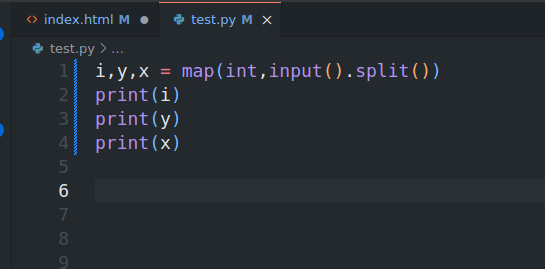
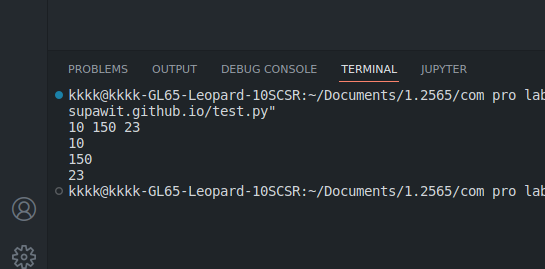
READ MULTIPLE VALUES FROM KEYBOARD
FINALLY , COMMENT

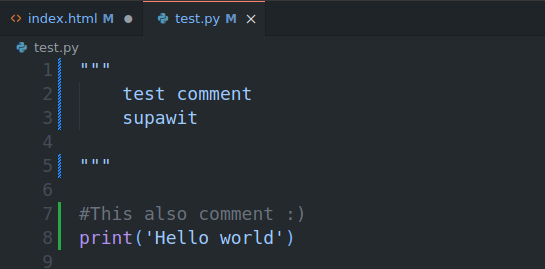
Comments can be used to explain Python code.
Comments can be used to make the code more readable.
Comments can be used to prevent execution when testing code.
Comments starts with a # and Python will ignore them. or starts with a triple quotes """